Membuat Aplikasi Android Sistem Informasi DesaKu - Part 20(Finish)
Aplikasi Android Sistem Informasi Desaku ini merupakan Tutorial Part 20, jadi jika anda belum mengikuti [/membuat-aplikasi-android-sistem-informasi-desaku-part-17/]Tutorial Part 19 [/membuat-aplikasi-android-sistem-informasi-desaku-part-19/…
Aplikasi Android Sistem Informasi Desaku ini merupakan Tutorial Part 20, jadi jika anda belum mengikutiTutorial Part 19 diharapkan anda untuk mengikuti Tutorial Part 19 dahulu untuk memudahkan anda dalam memahami Tutorial Part 20 ini.
Pada Tutorial Part 19 sebelumnya kita telah menambahkan perubahan code dan membuat aplikasi pada file Admin_Daftar_DesaKu.js kemudian kita juga telah melakukan testing langsung melihat hasil dari perubahan code ke aplikasi android dengan menjalankan server debug. Pada Tutorial Part 20 ini kita akan melakukan perubahan code pada file Admin_Wisata_DesaKu.js
Baiklah sekarang buka folder project yaitu DesaKu dengan menggunakan Visual Studio Code
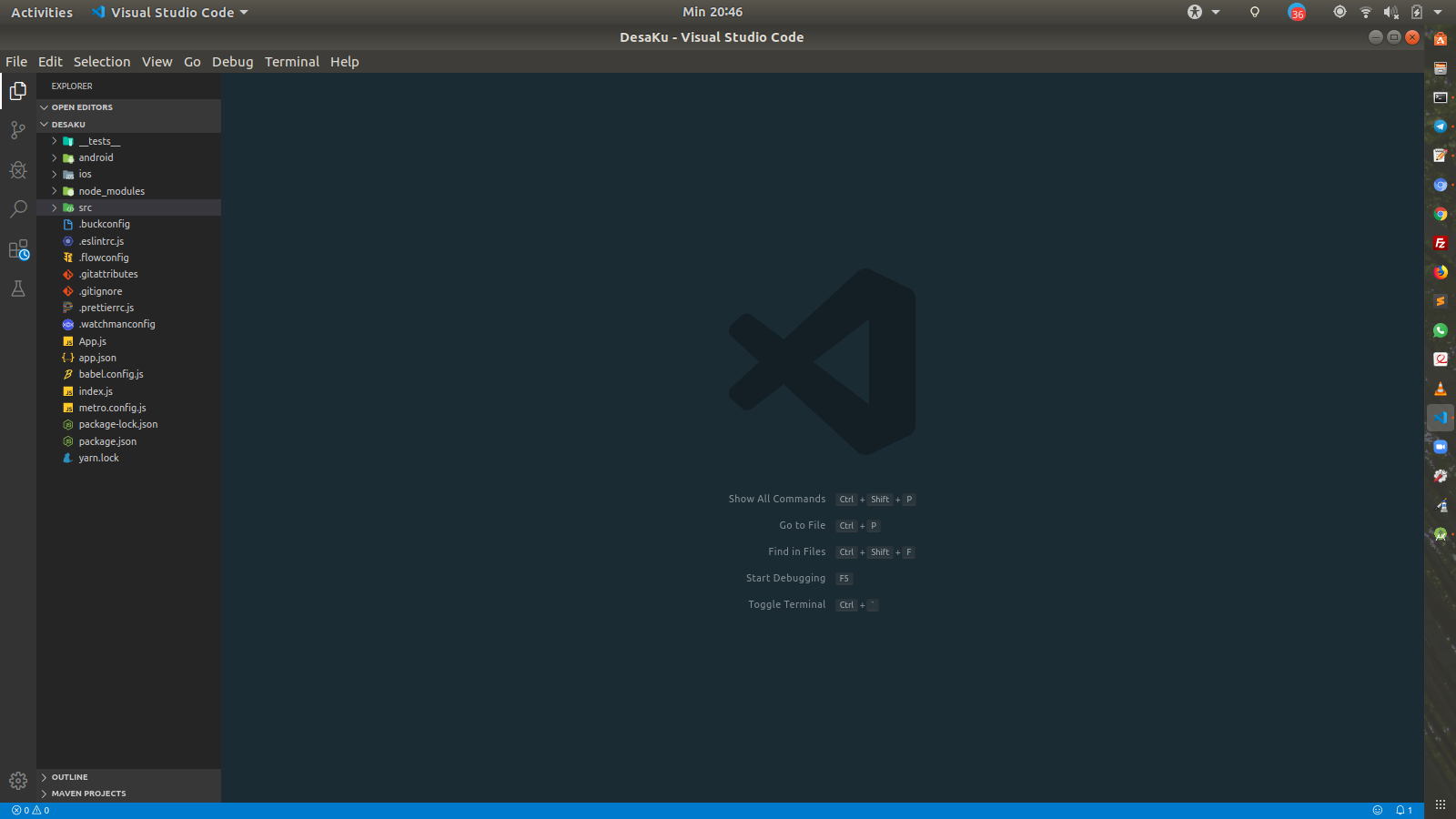
Project DesaKu
Sekarang buka file Admin_Wisata_DesaKu.js yang ada di folder src/screen/page .
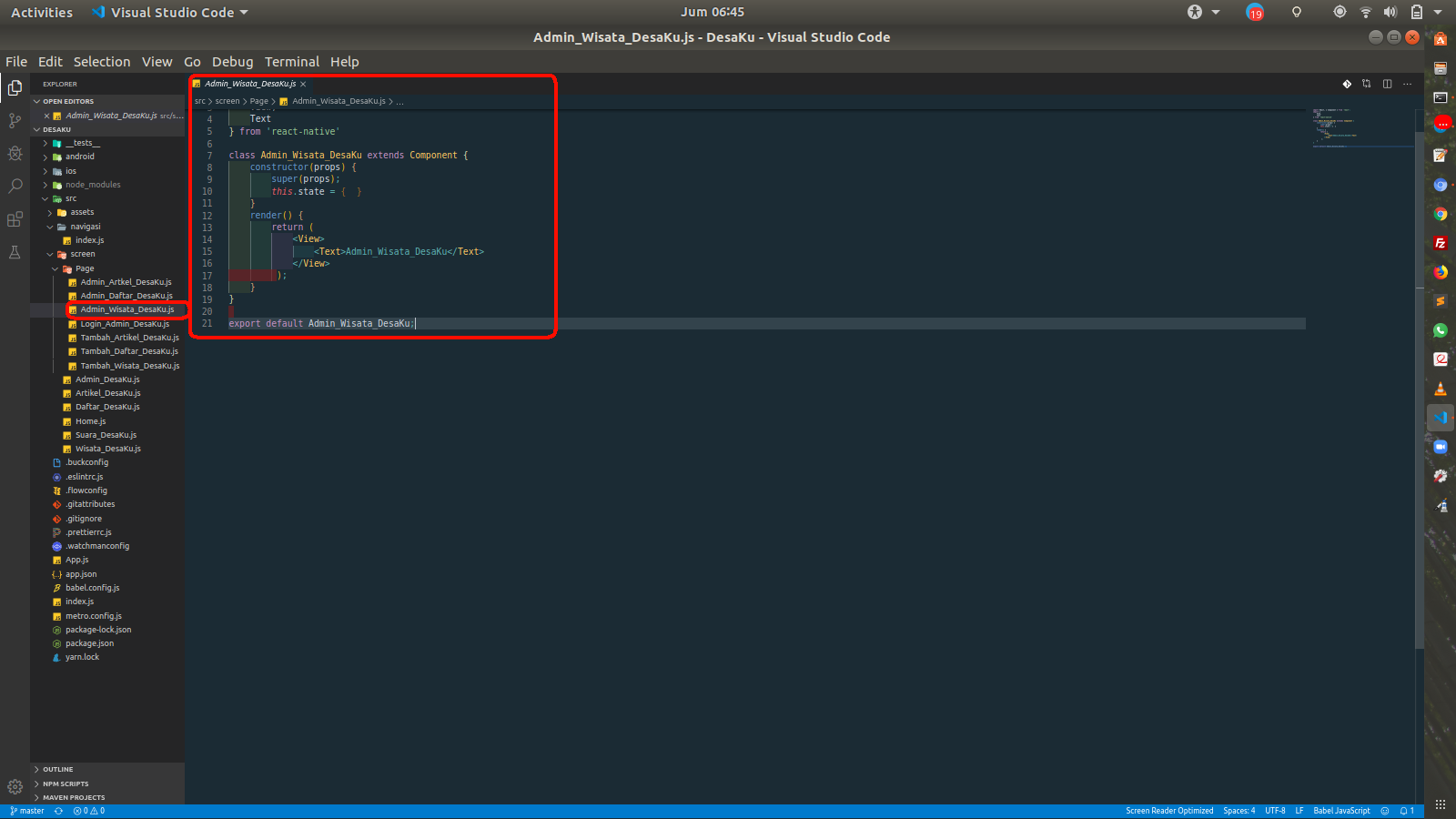
Admin Wisata DesaKu
Kemudian sekarang lakukan perubahan code pada code import component dari react-native , import library dan penambahan code pada constructor.
- Import Component
import {
    View,
    Text,
    StyleSheet,
    Image,
    StatusBar,
    YellowBox,
    TouchableOpacity,
    FlatList,
    ActivityIndicator,
    RefreshControl,
    Linking,
    TextInput,
    PixelRatio,
    ScrollView,
    AsyncStorage
} from 'react-native'
Import Component
- Import Library
import ActionButton from 'react-native-action-button';
import Icon from 'react-native-vector-icons/MaterialIcons';
import Modal from 'react-native-modalbox';

import ImagePicker from 'react-native-image-picker';
import RNFetchBlob from 'rn-fetch-blob';
Import Library
- Penambahan code pada constructor
 constructor(props) {
        super(props);
        this.state = {
            data: [],
            isLoding: true,
            refreshing: false,
            isOpen: false,
            isDisabled: false,
            swipeToClose: true,
            sliderValue: 0.3,
            ImageSource: null,
            data: null,
            nama_wisata_desaku: '',
            lokasi_wisata_desaku: '',
            photo_wisata_desaku	: '',
            maps_wisata_desaku : ''
        }
    }
Penambahan code pada constructor
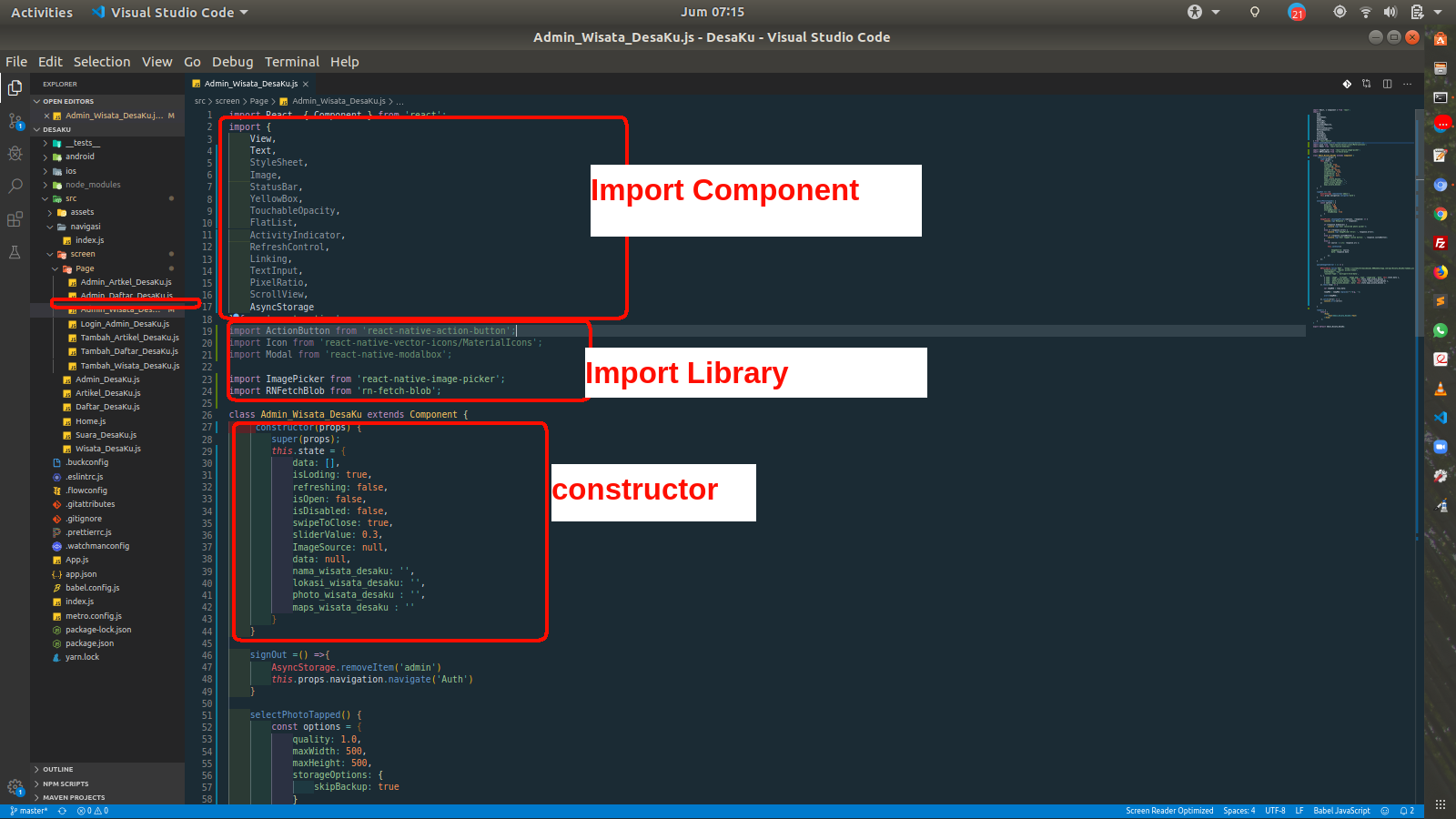
Perubahan code
Kemudian tambahkan kedua function berikut ini setelah constructor
signOut =() =>{
        AsyncStorage.removeItem('admin')
        this.props.navigation.navigate('Auth')
    }

    selectPhotoTapped() {
        const options = {
            quality: 1.0,
            maxWidth: 500,
            maxHeight: 500,
            storageOptions: {
                skipBackup: true
            }
        };

        ImagePicker.showImagePicker(options, (response) => {
            console.log('Response = ', response);

            if (response.didCancel) {
                console.log('User cancelled photo picker');
            }
            else if (response.error) {
                console.log('ImagePicker Error: ', response.error);
            }
            else if (response.customButton) {
                console.log('User tapped custom button: ', response.customButton);
            }
            else {
                let source = { uri: response.uri };

                this.setState({

                    ImageSource: source,
                    data: response.data

                });
            }
        });
    }
Function logout dan ImagePicker
Setelah itu tambahkan code function berikut ini setelah function ImagePicker.
 uploadImageToServer = () => {

        RNFetchBlob.fetch('POST', 'https://sisteminformasidesaku.000webhostapp.com/api/Daftar_DesaKu/tambah_daftar_desaku.php', {
            Authorization: "Bearer access-token",
            otherHeader: "foo",
            'Content-Type': 'multipart/form-data',
        }, [
            { name: 'image', filename: 'image.png', type: 'image/png', data: this.state.data },
            { name: 'nama_desaku', data: this.state.nama_desaku },
            { name: 'lokasi_desaku', data: this.state.lokasi_desaku },
            { name: 'photo_desaku', data: this.state.photo_desaku },
        ]).then((resp) => {

            var tempMSG = resp.data;

            tempMSG = tempMSG.replace(/^"|"$/g, '');

            alert(tempMSG);

        }).catch((error) => {
            console.error(error)
        })

    }
Upload Image To Server
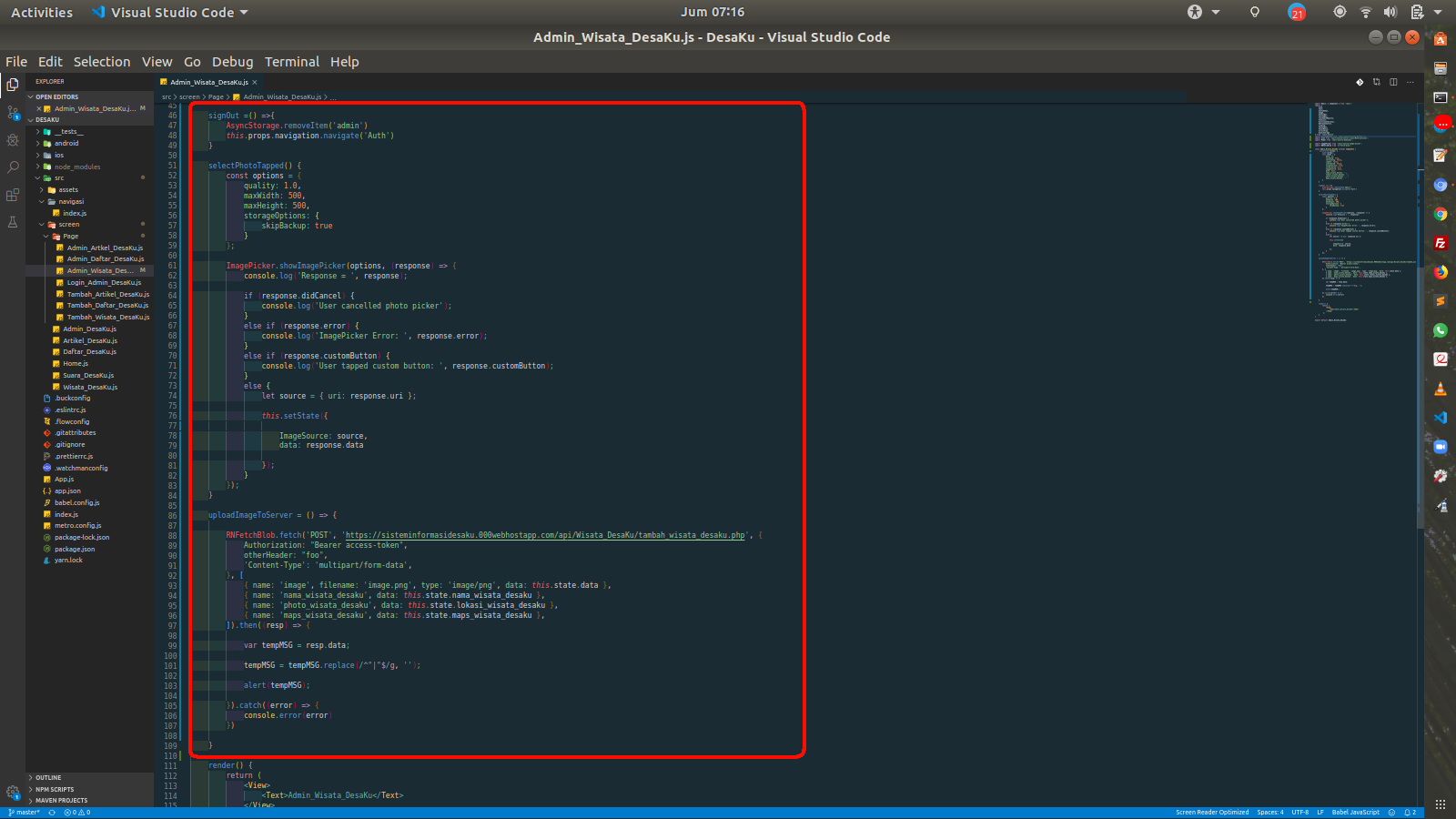
Function Logout dan Upload Image
Setelah itu tambahkan code berikut ini setelahnya
 onClose() {
        console.log('Modal just closed');
    }
    onOpen() {
        console.log('Modal just opened');
    }
    onClosingState(state) {
        console.log('the open/close of the swipeToClose just changed');
    }
    renderList() {
        var list = [];
        for (var i = 0; i < 50; i++) {
            list.push(<Text style={styles.text} key={i}>Elem {i}</Text>);
        }
        return list;
    }

    Admin_List_Wisata_DesaKu = () => {
        return fetch('https://sisteminformasidesaku.000webhostapp.com/api/Wisata_DesaKu/list_wisata_desaku.php')
            .then((response) => response.json())
            .then((responseJson) => {
                console.log(responseJson)
                this.setState({
                    isLoding: false,
                    data: responseJson
                })
            })
    }

    componentDidMount() {
        this.Admin_List_Wisata_DesaKu()
    }

    FlatListItemSeparator = () => {
        return (
            <View
                style={{
                    height: .5,
                    width: "100%",
                    backgroundColor: "#000",
                }}
            />
        );
    }

    _onRefresh() {
        this.setState({ refreshing: true });
        this.Admin_List_Wisata_DesaKu().then(() => {
            this.setState({
                refreshing: false
            })
        })
    }

    ListEmptyView = (isLoading = this.state.isLoading) => {
        if (isLoading) {
            return (
                <View style={{ flex: 1, paddingTop: 20 }}>
                    <ActivityIndicator />
                </View>
            );
        } else {
            return (
                <View>
                    <Text style={{ textAlign: 'center' }}> Tidak Ada Data.</Text>
                </View>
            );
        }
    }
Tambahkan Function Berikut Ini
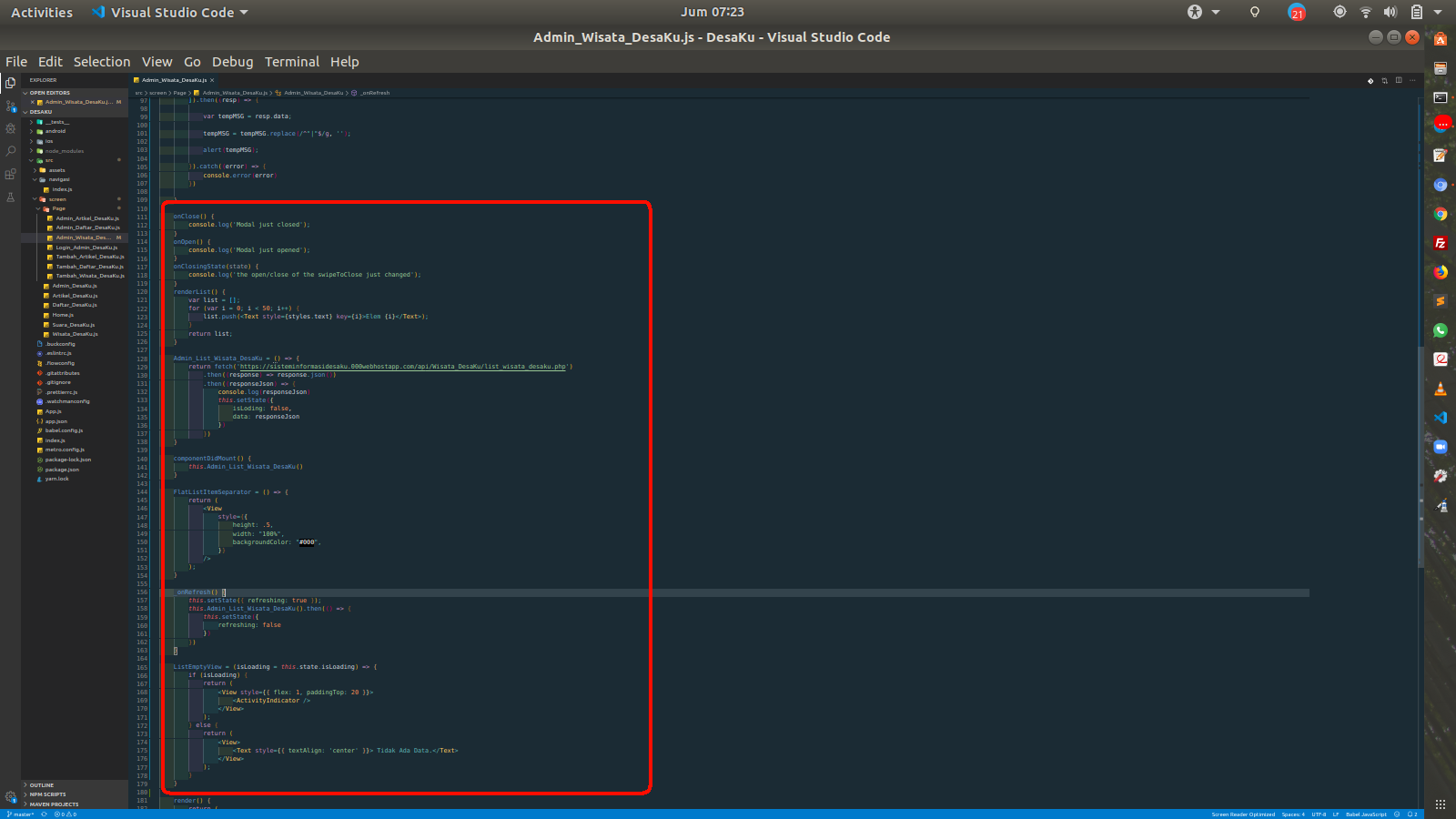
Tambahkan Function Berikut Ini
Dan Tambahkan function renderItems
    renderItems = ({ item }) => {
        const { id, nama_wisata_desaku, lokasi_wisata_desaku, photo_wisata_desaku, maps_wisata_desaku } = item
        return (
            <View style={styles.containerList}>
                <View style={styles.conGambar}>
                    <Image source={{ uri: photo_wisata_desaku }} style={styles.gmbr} />
                </View>
                <View style={styles.note}>
                    <Text style={styles.Judul}>{nama_wisata_desaku}</Text>
                    <Text style={styles.tgl}>{lokasi_wisata_desaku}</Text>
                    <Text style={styles.tgl} onPress={() => Linking.openURL(maps_wisata_desaku)}>Petujuk Arah</Text>
                </View>
            </View>
        )
    }
renderItems
Kemudian lakukan perubahan pada render dan retrun seperti code dibawah ini.
render() {
        YellowBox.ignoreWarnings(['RNFetchBlob']);
        var BContent = (
            <View style={[styles.btn, styles.btnModal]}>
                <Text style={{ color: '#fff' }} onPress={() => this.setState({ isOpen: false })}>X</Text>
            </View>
        );
        return (
            <View style={styles.maincontainer}>
                <View style={styles.header}>
                    <Text style={styles.textHeader}>Wisata DesaKu</Text>
                    <TouchableOpacity onPress={() => this.signOut()}>
                    <Text style={styles.textHeader}>Logout</Text>
                    </TouchableOpacity>
                </View>
                <FlatList
                    data={this.state.data}
                    ItemSeparatorComponent={this.FlatListItemSeparator}
                    keyExtractor={item => item.toString()}
                    renderItem={this.renderItems}
                    ListEmptyComponent={this.ListEmptyView}
                    refreshControl={
                        <RefreshControl refreshing={this.state.refreshing}
                            onRefresh={this._onRefresh.bind(this)}
                        />
                    }

                />
                <ActionButton buttonColor="rgba(231,76,60,1)">
                    <ActionButton.Item buttonColor='#1abc9c' title="Add Wisata DesaKu" onPress={() => this.refs.modal3.open()}>
                        <Icon name="note-add" style={styles.actionButtonIcon} />
                    </ActionButton.Item>
                </ActionButton>


                <Modal style={[styles.modal, styles.modal3]} position={"center"} ref={"modal3"} isDisabled={this.state.isDisabled}>
                    <View>
                        <ScrollView>
                            <View style={styles.container}>
                                <TouchableOpacity onPress={this.selectPhotoTapped.bind(this)}>

                                    <View style={styles.ImageContainer}>

                                        {this.state.ImageSource === null ? <Text>Select a Photo</Text> :
                                            <Image style={styles.ImageContainer} source={this.state.ImageSource} />
                                        }

                                    </View>

                                </TouchableOpacity>


                                <TextInput

                                    placeholder="Masukan Nama Wisata "

                                    onChangeText={data => this.setState({ nama_wisata_desaku: data })}

                                    underlineColorAndroid='transparent'

                                    style={styles.TextInputStyle}
                                />

                                <TextInput

                                    placeholder="Masukan Lokasi Wisata "

                                    onChangeText={data => this.setState({ lokasi_wisata_desaku: data })}

                                    underlineColorAndroid='transparent'

                                    style={styles.TextInputStyle}
                                />

                                <TextInput

                                    placeholder="Masukan Lokasi Maps Wisata "

                                    onChangeText={data => this.setState({ maps_wisata_desaku: data })}

                                    underlineColorAndroid='transparent'

                                    style={styles.TextInputStyle}
                                />

                                <TouchableOpacity onPress={this.uploadImageToServer} activeOpacity={0.6} style={styles.button} >

                                    <Text style={styles.TextStyle}> Upload Now </Text>

                                </TouchableOpacity>
                            </View>
                        </ScrollView>
                    </View>
                </Modal>

            </View>
        );
    }
}
Code Render dan Return
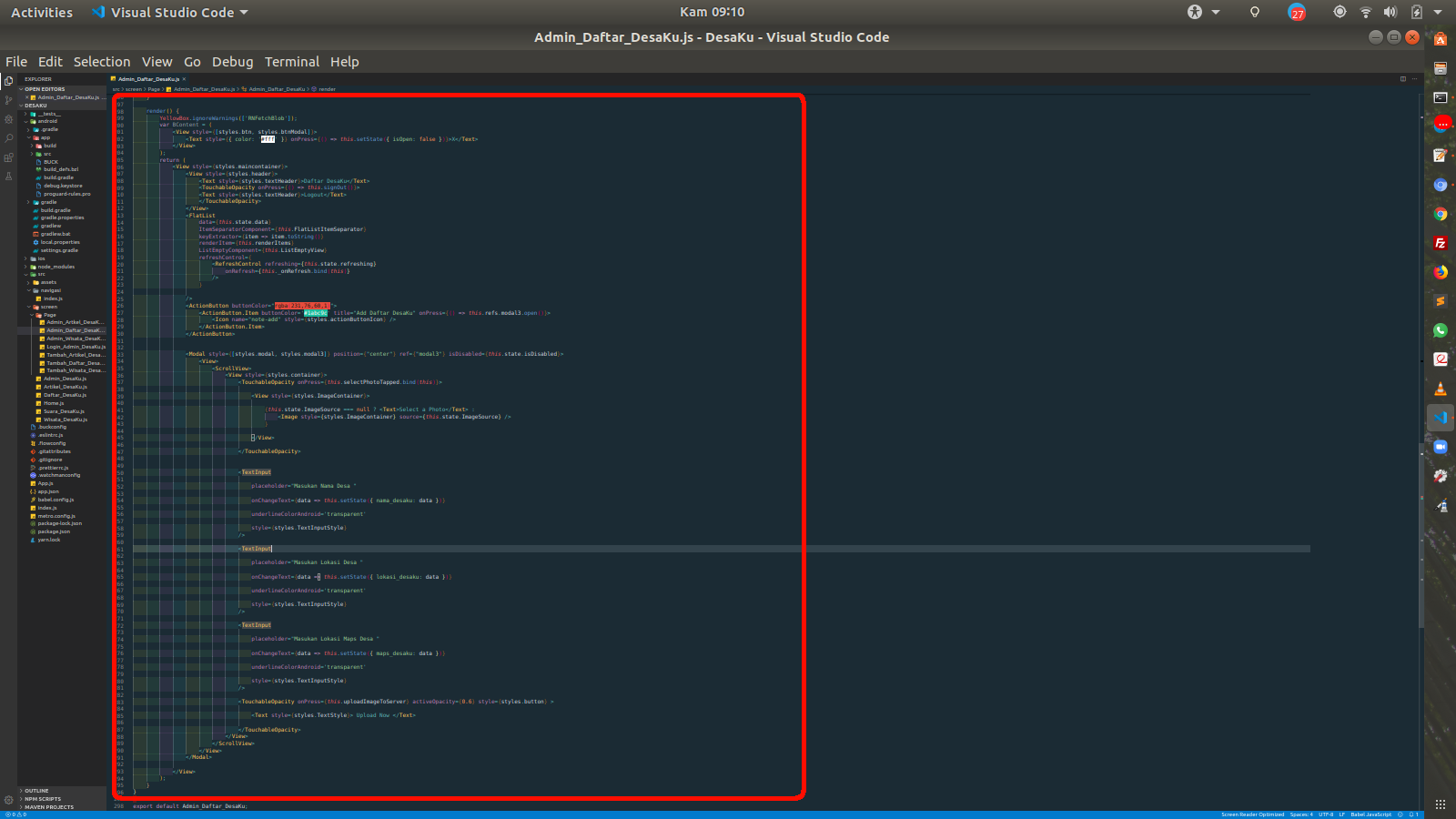
selanjutnya tambahkan code styling berikut ini di variabel styles
const styles = StyleSheet.create({
    maincontainer: {
        flex: 1
    },

    containerList: {
        margin: 5,
        backgroundColor: '#009688',
        flexDirection: 'row',
        borderRadius: 15
    },

    gmbr: {
        height: 100,
        width: 100,
        resizeMode: "center",
        borderRadius: 20
    },
    conGambar: {
        alignItems: 'center',
        width: 120,
        justifyContent: 'center',
    },
    note: {
        width: 220,
    },
    Judul: {
        fontSize: 18,
        fontWeight: 'bold',
        color: '#fff'
    },
    tgl: {
        fontSize: 13,
        color: '#fff'
    },
    Title: {
        flexDirection: 'row',
        justifyContent: 'space-between'
    },
    jdlTitle: {
        fontSize: 20,
        fontWeight: 'bold'
    },
    header: {
        height: 40,
        width: '100%',
        backgroundColor: '#009688',
        alignItems: 'center',
        justifyContent: 'center',
        flexDirection: 'row',
        justifyContent: 'space-between',
    },
    textHeader: {
        fontSize: 20,
        color: '#fff',
        fontWeight: 'bold',
        marginLeft: 10,
        marginRight: 10
    },
    actionButtonIcon: {
        fontSize: 20,
        height: 22,
        color: 'white',
    },
    modal3: {
        flex: 1,
        backgroundColor: '#F0FFFF',
        marginTop: 10,
        marginBottom: 30,
        marginLeft: 5,
        marginRight: 10,
        width: '90%',
        borderRadius: 30
    },
    MainContainer: {
        alignItems: 'center',
        justifyContent: 'center'
    },
    container: {
        flex: 1,
        alignItems: 'center',
        paddingTop: 20
      },

      ImageContainer: {
        borderRadius: 10,
        width: 250,
        height: 250,
        borderColor: '#9B9B9B',
        borderWidth: 1 / PixelRatio.get(),
        justifyContent: 'center',
        alignItems: 'center',
        backgroundColor: '#CDDC39',

      },

      TextInputStyle: {

        textAlign: 'center',
        height: 40,
        width: '80%',
        borderRadius: 10,
        borderWidth: 1,
        borderColor: '#028b53',
        marginTop: 20
      },

      TextInputStyleDetail: {

        textAlign: 'center',
        height: 50,
        width: '80%',
        borderRadius: 10,
        borderWidth: 1,
        borderColor: '#028b53',
        marginTop: 20,
        flexWrap:'wrap'
      },

      button: {

        width: '80%',
        backgroundColor: '#00BCD4',
        borderRadius: 7,
        marginTop: 20
      },

      TextStyle: {
        color: '#fff',
        textAlign: 'center',
        padding: 10
      }
})
Styling
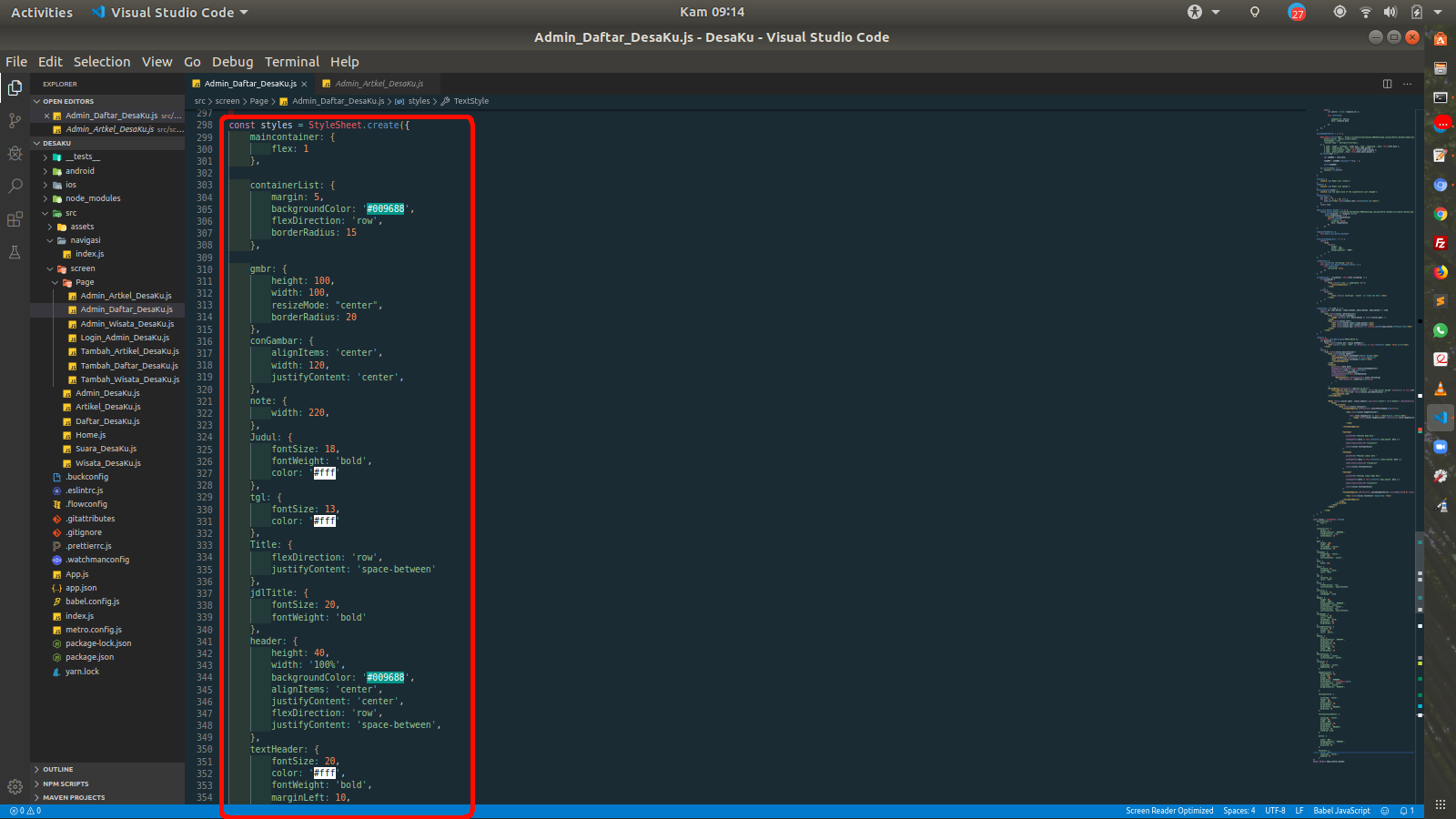
Awal Styling
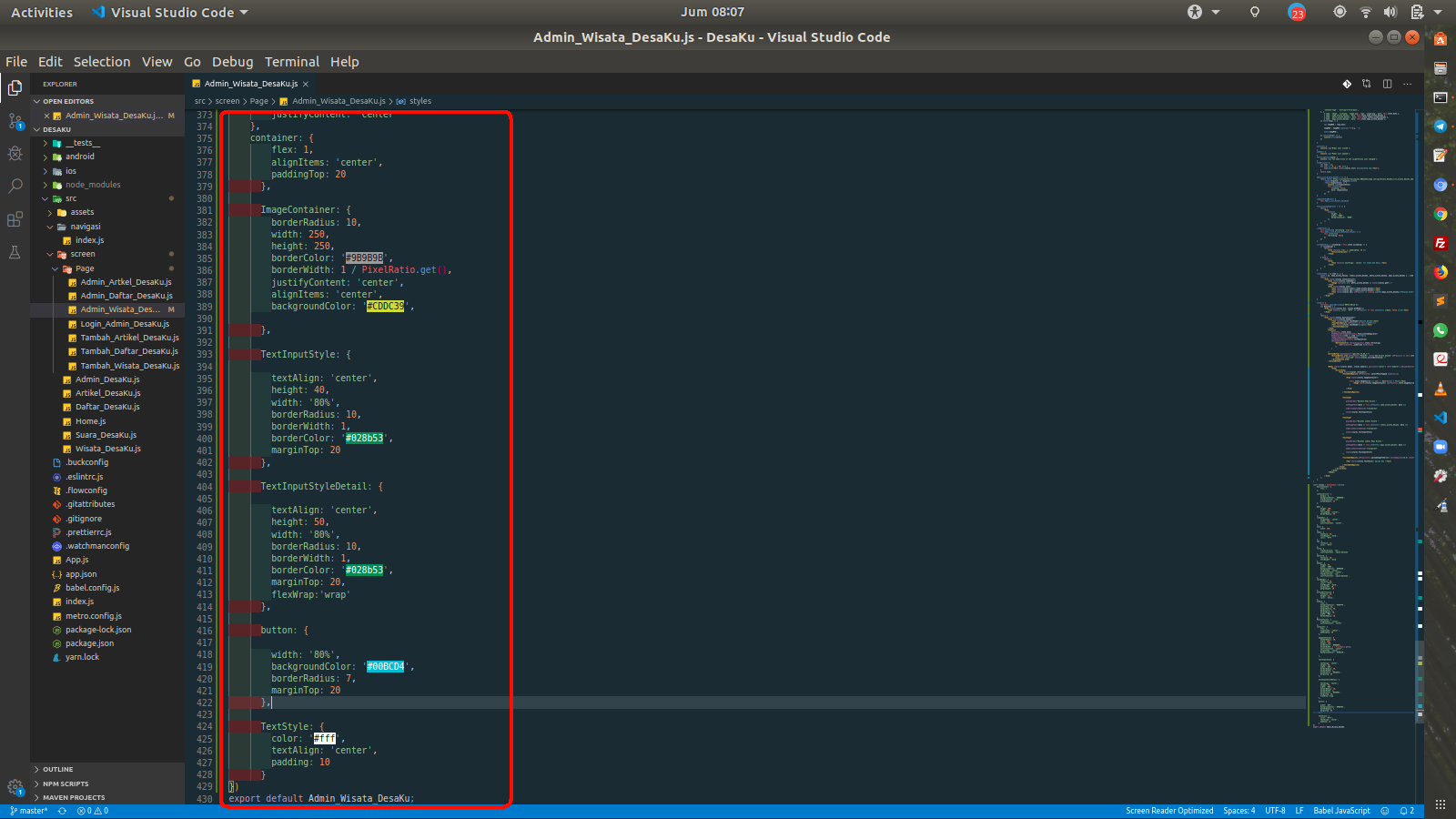
Akhir Styling
Jangan lupa buat folder uploads dan tambakan code pada file tambah_wisata_desaku.php yang berada di folder Wisata_DesaKu di web https://files.000webhost.com/
<?php
    //Define your host here.
    $hostname = "localhost";

    //Define your database User Name here.
    $username = "id11934325_desaku";

    //Define your database Password here.
    $password = "Mikrotik@122";

    //Define your Database Name here.
    $dbname = "id11934325_desaku";

    $conn = mysqli_connect($hostname, $username, $password, $dbname);

    //mysql_select_db($dbname, $conn);
    // Type your website name or domain name here.
    $domain_name = "https://sisteminformasidesaku.000webhostapp.com/api/Wisata_DesaKu" ;

    // Image uploading folder.
    $photo_wisata_desaku = "uploads/";

    // Generating random image name each time so image name will not be same .
    $photo_wisata_desaku = $photo_wisata_desaku . "/" .rand() . "_" . time() . ".jpeg";

    // Receiving image tag sent from application.
    $nama_wisata_desaku = $_POST["nama_wisata_desaku"];
    $lokasi_wisata_desaku = $_POST["lokasi_wisata_desaku"];
    $maps_wisata_desaku = $_POST["maps_wisata_desaku"];

     $CheckSQL = "SELECT * FROM Wisata_DesaKu WHERE nama_wisata_desaku='$nama_wisata_desaku'";
     // Executing SQL Query.
    $check = mysqli_fetch_array(mysqli_query($conn,$CheckSQL));

    // if( empty($nama_wisata_desaku) || empty($lokasi_wisata_desaku) || empty($maps_wisata_desaku)){
    //     $EmptyFormMessage = 'Pastikan Form Terisi...!';
    //     $EmptyFormJson = json_encode($EmptyFormMessage);
    //     echo $EmptyFormJson ;
    // }
    // else{

        if(isset($check)){
            $titleArtikelExistMSG = 'Data Sudah Ada !!!';

         // Converting the message into JSON format.
        $titleArtikelExistJson = json_encode($titleArtikelExistMSG);

        // Echo the message.
         echo $titleArtikelExistJson ;
        }else{
                // Receiving image sent from Application
    if(move_uploaded_file($_FILES['image']['tmp_name'], $photo_wisata_desaku)){

        // Adding domain name with image random name.
        $photo_wisata_desaku = $domain_name . $photo_wisata_desaku ;

        $Sql_Query = "insert into Wisata_DesaKu ( nama_wisata_desaku, lokasi_wisata_desaku, photo_wisata_desaku, penjelasan_Wisata_DesaKu) VALUES('$nama_wisata_desaku' , '$lokasi_wisata_desaku', '$photo_wisata_desaku', '$maps_wisata_desaku')";


            if(mysqli_query($conn,$Sql_Query)){
                $MESSAGE = "Artikel Sukses Ditambahkan" ;
                echo json_encode($MESSAGE);
            }
            else{

             echo 'Please Try Again !!! ';


             }
             mysqli_close($conn);
    }
    }

        // }


?>
tambah_wisata_desaku.php
Berikut tampilan pada aplikasi nya
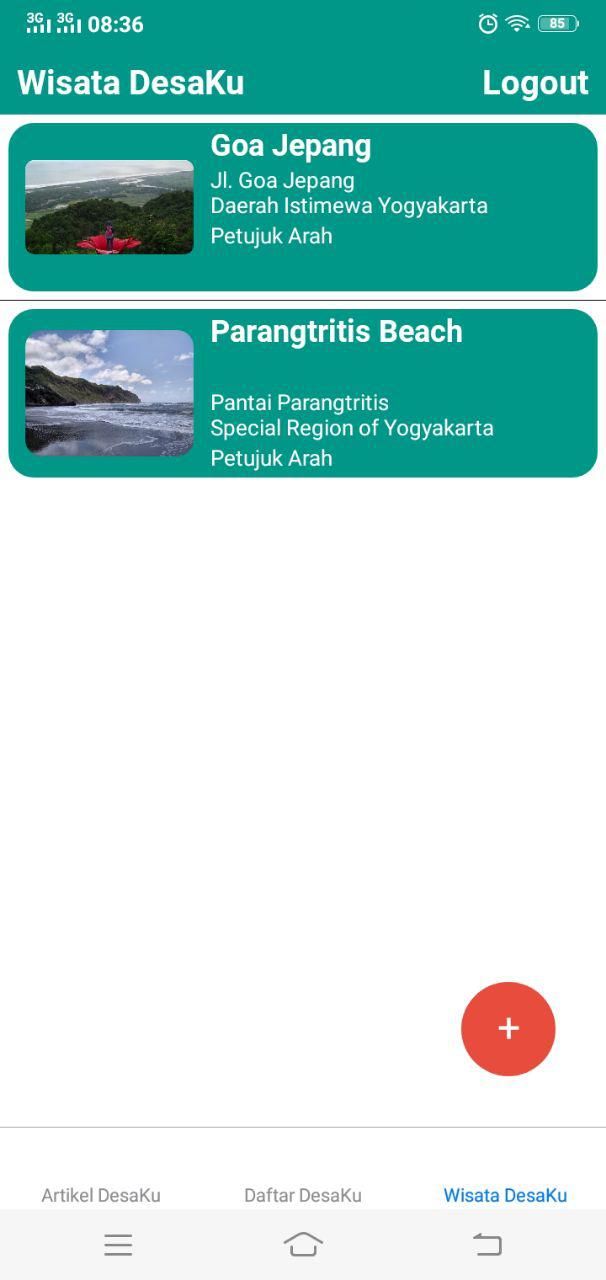
Wisata DesaKu
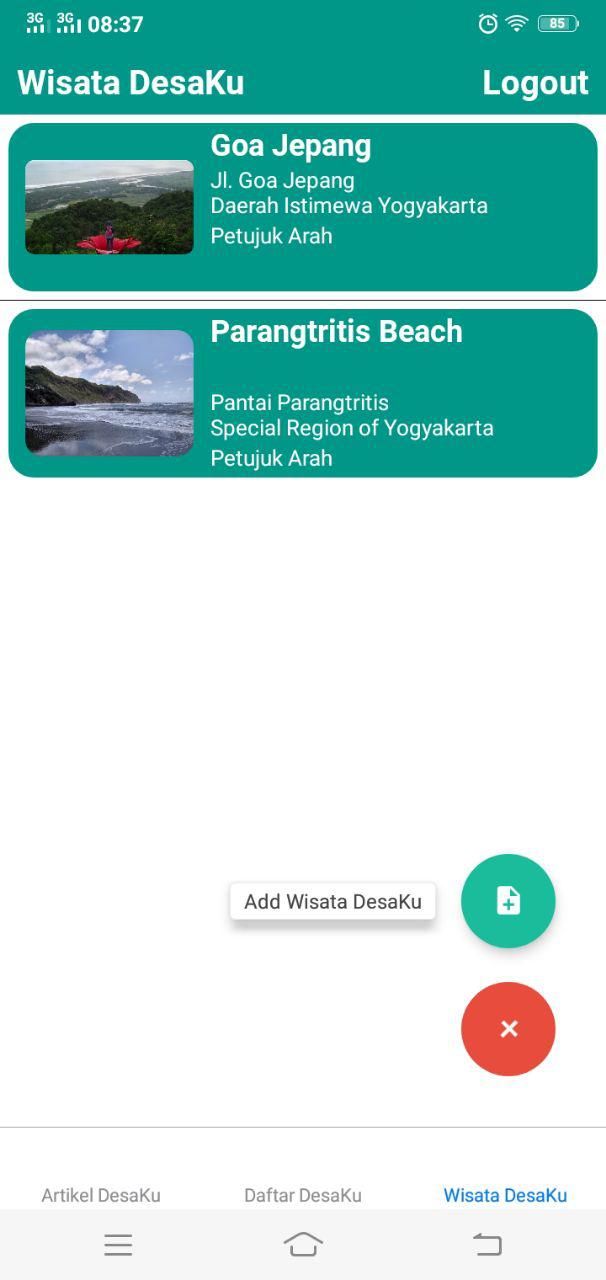
Add Wisata DesaKu
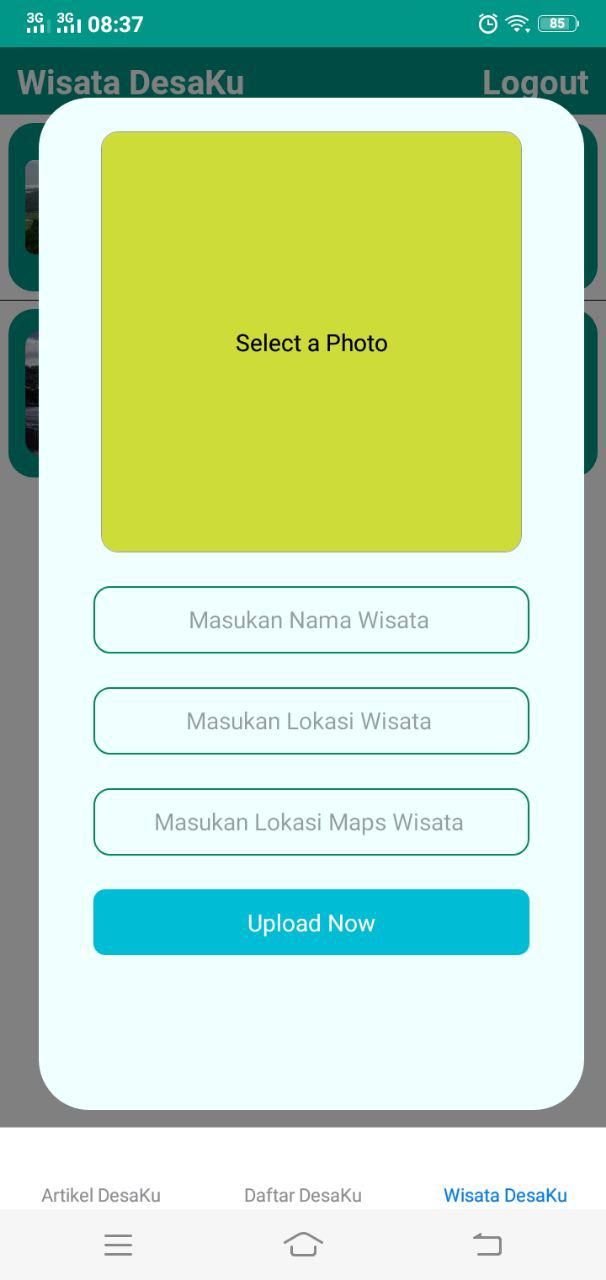
Tambah Wisata DesaKu
Demikianlah Pembahasan Studi Kasus Aplikasi Android Sistem Informasi DesaKu Sudah Selesai. Untuk Source Code Versi Full Klik Disini
Catatan: tulisan ini dipindahkan dari cloudborneo.com, terbit pertama 20 Desember 2019.
Tentang penulis
Saya seorang Developer Mobile menggunakan Framework React Native dan saya juga memiliki pengalaman dibidang SYS Admin. Jasa menerima jasa pembuatan aplikasi dan website https://pindahdigital.com
Tulisan lainnya